
Changing your NHS nominated pharmacy is usually quick and straightforward. Whether you’ve moved home, found a pharmacy that’s more convenient, want home delivery, or prefer using an NHS-approved online pharmacy, you can update your nominated pharmacy whenever your circumstances change.
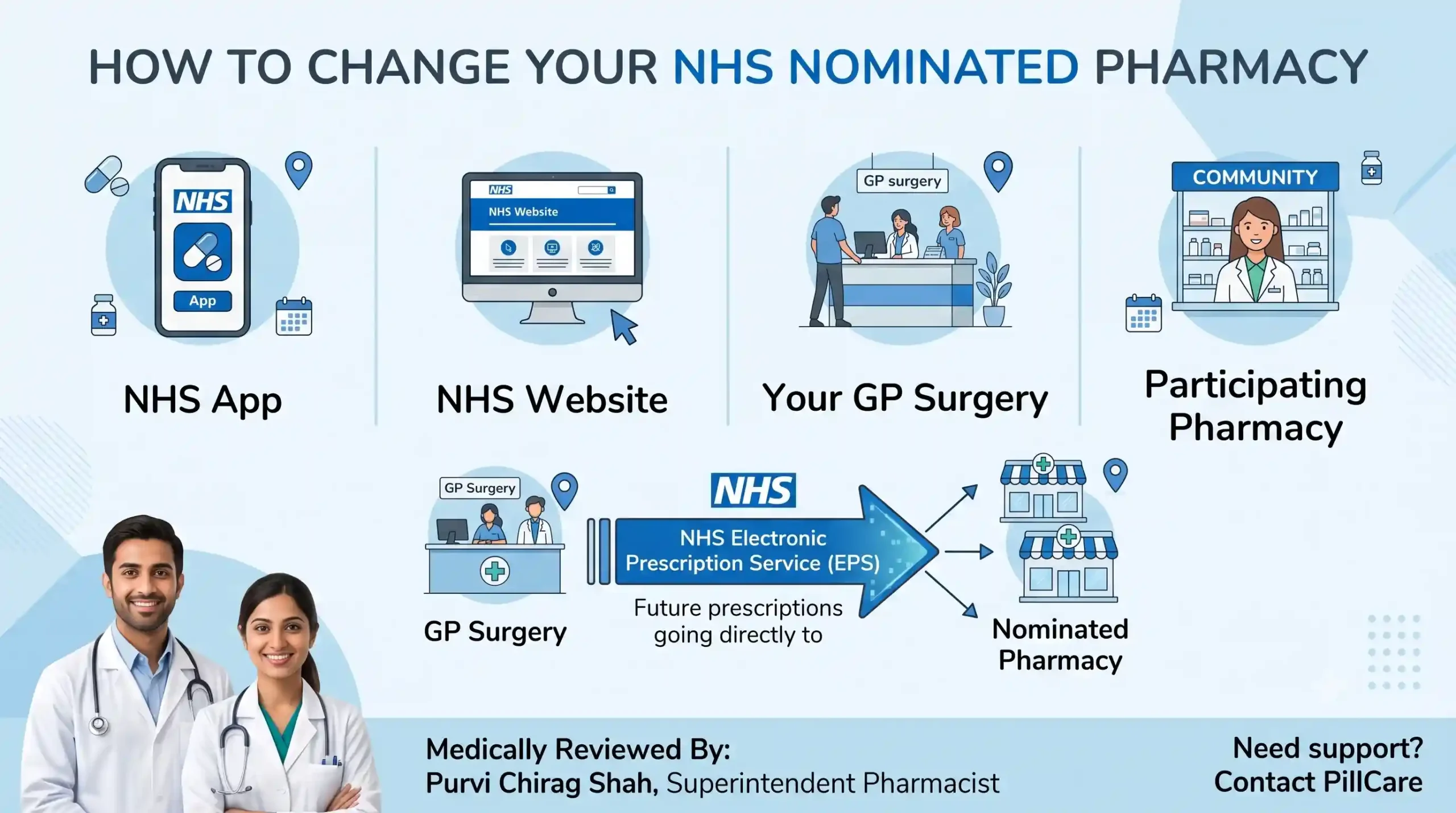
Your nominated pharmacy is where eligible NHS electronic prescriptions are sent through the NHS Electronic Prescription Service (EPS). Once your nomination has been updated, future eligible prescriptions are normally sent directly to your new pharmacy.
Changing your nominated pharmacy does not affect your GP registration, and in most cases it does not delay future prescriptions. However, prescriptions that have already been issued before you make the change may still be sent to your previous nominated pharmacy.
This guide explains what a nominated pharmacy is, when you should change it, the different ways to update it, what happens after switching, common problems people experience, and answers the questions patients ask most often.
You can change your NHS nominated pharmacy using the NHS App, the NHS website, your GP surgery or a participating NHS pharmacy. Changing your nominated pharmacy affects future eligible electronic prescriptions, while prescriptions that have already been issued will usually remain with the pharmacy that originally received them. Changing your nominated pharmacy does not affect your GP registration.
Before You Change Your Nominated Pharmacy
- You can change your nominated pharmacy whenever you choose.
- You can only have one nominated pharmacy at a time.
- Changing your nominated pharmacy does not affect your GP registration.
- Existing prescriptions usually remain with the pharmacy that originally received them.
- Future eligible prescriptions are normally sent to your newly nominated pharmacy through the NHS Electronic Prescription Service (EPS).
What Is a Nominated Pharmacy?
A nominated pharmacy is an NHS Electronic Prescription Service (EPS) setting that tells the NHS where to send your eligible electronic prescriptions after your GP approves them.
The NHS Electronic Prescription Service (EPS) is a secure NHS digital service that sends eligible prescriptions electronically from GP surgeries directly to a patient’s nominated pharmacy instead of using paper prescriptions.
Choosing a nominated pharmacy can make managing prescriptions easier because:
- future eligible prescriptions are normally sent automatically to the same pharmacy
- you usually won’t need to collect paper prescriptions from your GP surgery
- repeat prescriptions are often easier to manage
- many pharmacies offer additional services such as prescription reminders or home delivery where available
Changing your nominated pharmacy does not affect your GP registration, and you can update it whenever your circumstances change.
Why Might You Want to Change Your Nominated Pharmacy?
People change their nominated pharmacy for many different reasons.
Location
- moving home
- changing jobs
- choosing a pharmacy closer to home
- choosing a pharmacy closer to work
- moving into supported accommodation or a care home
Pharmacy Services
- wanting longer opening hours
- accessing home delivery where available
- receiving additional medication support
- using an NHS-approved online pharmacy
Personal Circumstances
- If you’re helping an older relative, read our guide on How to Help an Elderly Parent Order Medication Online
- dissatisfaction with current pharmacy services
- pharmacy closure
There is no limit to how often you can change your nominated pharmacy.
Before You Change Your Nominated Pharmacy
Before changing your nominated pharmacy, first check whether your current prescription has already been issued or downloaded by your pharmacy.
Changing your nominated pharmacy only affects future eligible electronic prescriptions. If your GP has already issued your prescription, or your previous pharmacy has already downloaded it from the NHS Electronic Prescription Service, it will usually remain with that pharmacy and cannot normally be moved electronically.
Before changing your nomination:
- Check whether your GP has already approved your prescription.
- Ask whether your current pharmacy has already downloaded or prepared it.
- If you’ve recently requested a repeat prescription, consider waiting until you’ve collected it.
- If you’re unsure where your prescription is, contact your GP surgery or pharmacy.
- If your medication is urgent, confirm where it is before travelling.
Taking a few minutes to check these details can help prevent unnecessary delays.
How to Change Your Nominated Pharmacy Using the NHS App
If you use the NHS App, changing your nominated pharmacy usually takes only a few minutes.
- Open the NHS App and sign in using your NHS login.
- Select Prescriptions.
- Select Your chosen pharmacy. If you haven’t nominated one yet, select Choose a pharmacy.
- Select Change your chosen pharmacy.
- Search by pharmacy name, postcode or location.
- Select your preferred pharmacy.
- Confirm the update.
- Check that your new pharmacy now appears under Your chosen pharmacy within the Prescriptions section.
Future eligible prescriptions will normally be sent to your newly nominated pharmacy
How to Change Your Nominated Pharmacy Using the NHS Website
You can also update your nominated pharmacy through your NHS account online.
- Sign in to your NHS account.
- Open the Prescriptions section.
- Select the option to manage your nominated pharmacy.
- Search by pharmacy name, postcode or location.
- Choose your preferred pharmacy.
- Confirm your selection.
Once saved, future eligible electronic prescriptions will normally be sent to your new pharmacy. If the update does not appear immediately, check your account again after a short time.
Other Ways to Change Your Nominated Pharmacy
If you don’t use the NHS App or NHS website, you can still update your nomination.
You can:
- ask your GP surgery
- ask your current pharmacy
- ask the pharmacy you’d like to use instead
Some GP surgeries and pharmacies may ask you to confirm your identity before updating your nomination.
What Happens After You Change Your Nominated Pharmacy?
Changing your nominated pharmacy updates where future eligible electronic prescriptions are normally sent. It does not automatically move prescriptions that have already been issued.
| Situation | What Usually Happens |
| GP has not yet issued your prescription | Future prescriptions are normally sent to your new nominated pharmacy. |
| GP has already issued your prescription | It will usually be sent to your previous nominated pharmacy. |
| Previous pharmacy has already downloaded the prescription | The prescription may already be in their dispensing system. Contact the pharmacy or your GP surgery if you’re unsure where it is. |
| Medication is needed urgently | Contact your GP surgery or pharmacist for advice on the most appropriate next step. |
How to Check Your Nominated Pharmacy
After updating your nomination, it’s worth confirming that the change has been applied.
You can check by:
- opening the NHS App and viewing Your chosen pharmacy
- signing into your NHS account online
- asking your GP surgery
- asking your pharmacy
Checking before requesting your next prescription can help avoid unnecessary delays.
Can You Remove Your Nominated Pharmacy?
Yes.
If you no longer want to have a nominated pharmacy, contact your GP surgery.
Your GP surgery can explain how future eligible prescriptions will be managed if you choose not to nominate a pharmacy.
Can You Choose an Online Pharmacy?
Yes.
You can nominate any NHS-approved online pharmacy that accepts NHS Electronic Prescription Service (EPS) prescriptions.
Many online pharmacies may also offer:
- repeat prescription support
- home delivery where available
- prescription reminders
- pharmacist advice
- medication management support
Before switching, check that the pharmacy accepts NHS Electronic Prescription Service prescriptions and review the services and delivery options it offers.
If you’re also looking for guidance on requesting repeat prescriptions, see our guide on How to Order NHS Repeat Prescriptions Online.
How to Choose the Right Pharmacy
The best pharmacy depends on your individual needs.
| Consideration | Why It May Matter |
| Location | Easier to collect medicines |
| Opening hours | More convenient collection times |
| Home delivery | Helpful if travelling is difficult |
| Accessibility | Easier access for mobility needs |
| Parking or transport | Simpler collection |
| Pharmacist support | Advice about medicines |
| Medication management | Support with long-term medicines |
| Medication organisation | Services available where appropriate |
Common Problems When Changing Your Pharmacy
My prescription went to my old pharmacy
This usually happens because your GP issued the prescription before your nomination changed.
Contact your previous pharmacy or GP surgery to confirm where your prescription is.
I can’t change my pharmacy in the NHS App
Possible reasons include:
- temporary NHS system issues
- your NHS account isn’t fully set up
- your GP surgery is a dispensing practice
- your prescription is already being processed
If the problem continues, contact your GP surgery.
I can’t see my nominated pharmacy
Updates sometimes take a short time to appear.
If your nomination still isn’t showing, ask your GP surgery or pharmacy to confirm that the update has been completed.
Tips to Help Avoid Prescription Delays
A few simple checks can make changing your pharmacy much smoother.
- Check where your current prescription is before changing your nomination.
- Order repeat prescriptions several working days before your medication runs out.
- Confirm your new nominated pharmacy has been updated.
- Keep your NHS login details available.
- Contact your pharmacy if your medication is urgent.
- Check your nomination before requesting your next prescription.
Frequently Asked Questions
Yes. You can update your nominated pharmacy whenever your circumstances change.
No. Changing your nominated pharmacy does not affect your GP registration.
Many changes are processed quickly, although prescriptions already issued may still go to your previous pharmacy.
No. Existing prescriptions usually remain with the pharmacy that originally received them.
No. You can only have one nominated pharmacy at a time.
Yes. You can nominate any pharmacy in England that accepts NHS Electronic Prescription Service (EPS) prescriptions.
Yes. Future eligible repeat prescriptions will normally be sent to your new nominated pharmacy once the change has been processed.
No. It does not cancel prescriptions that have already been issued.
Not usually. If you update your nominated pharmacy through the NHS App, NHS website, your GP surgery or a participating pharmacy, the change is updated within NHS systems. If you’re unsure whether the update has been completed, contact your GP surgery for confirmation.
Looking for Additional Medication Support?
If you’re considering changing to ProCare Pharmacy, our pharmacy team can explain how to update your nominated pharmacy and answer questions about transferring eligible NHS prescriptions.
PillCare is a medication management service provided by ProCare Pharmacy, part of Sheav Chem Limited (Company Registration Number: 05400807). We support eligible NHS patients with prescription coordination and pharmacist advice. Where clinically appropriate, suitable medicines can also be organised into clearly labelled medication pouches and delivered to your home.
If you’d like to find out whether PillCare is suitable for you or someone you care for, contact our pharmacy team for more information.
About PillCare
PillCare is a medication management service provided by ProCare Pharmacy, part of Sheav Chem Limited (Company Registration Number: 05400807).
Superintendent Pharmacist: Purvi Chirag Shah (GPhC Number: 2080242)
Medication Enquiries
Telephone: 0208 907 2720
Email: info@pillcare.co.uk
Medical Disclaimer
This article is intended for general information only and should not replace professional medical advice. If you have questions about your medicines, prescriptions or healthcare needs, speak with your GP, pharmacist or another qualified healthcare professional.
